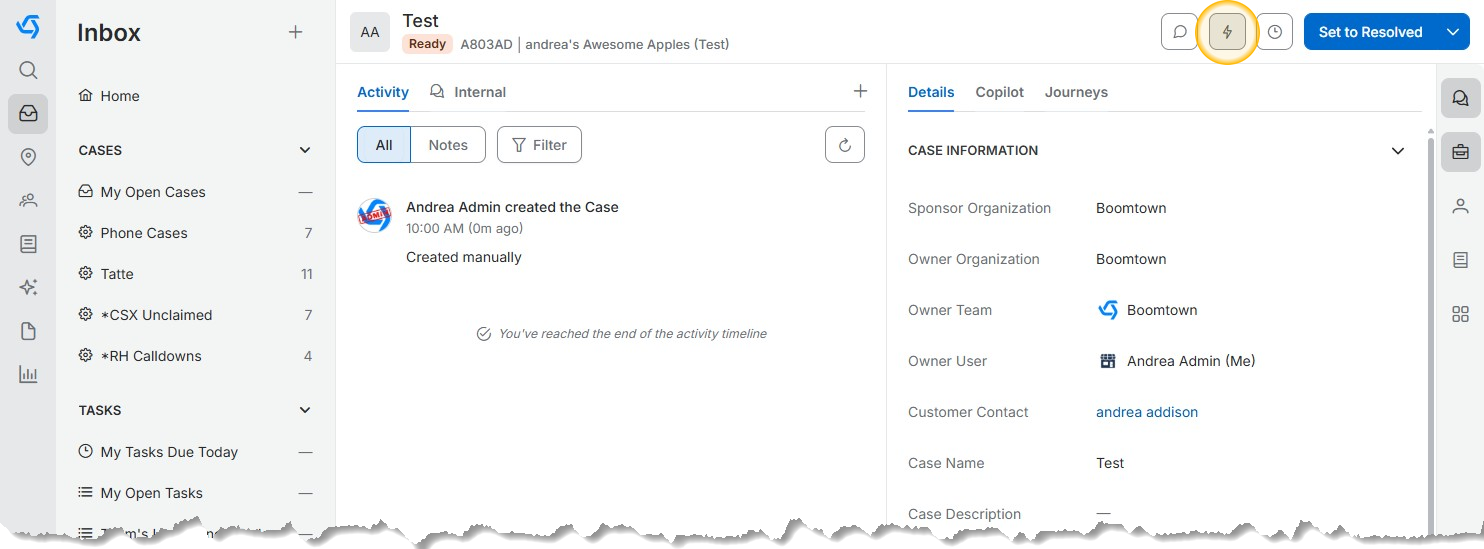
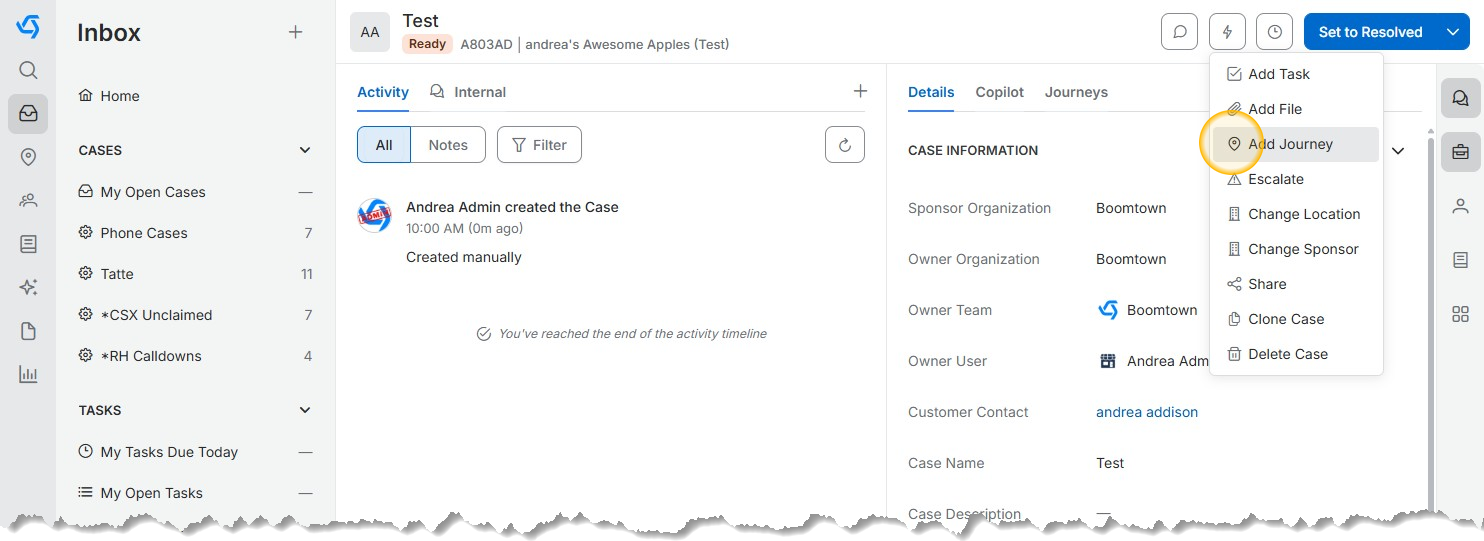
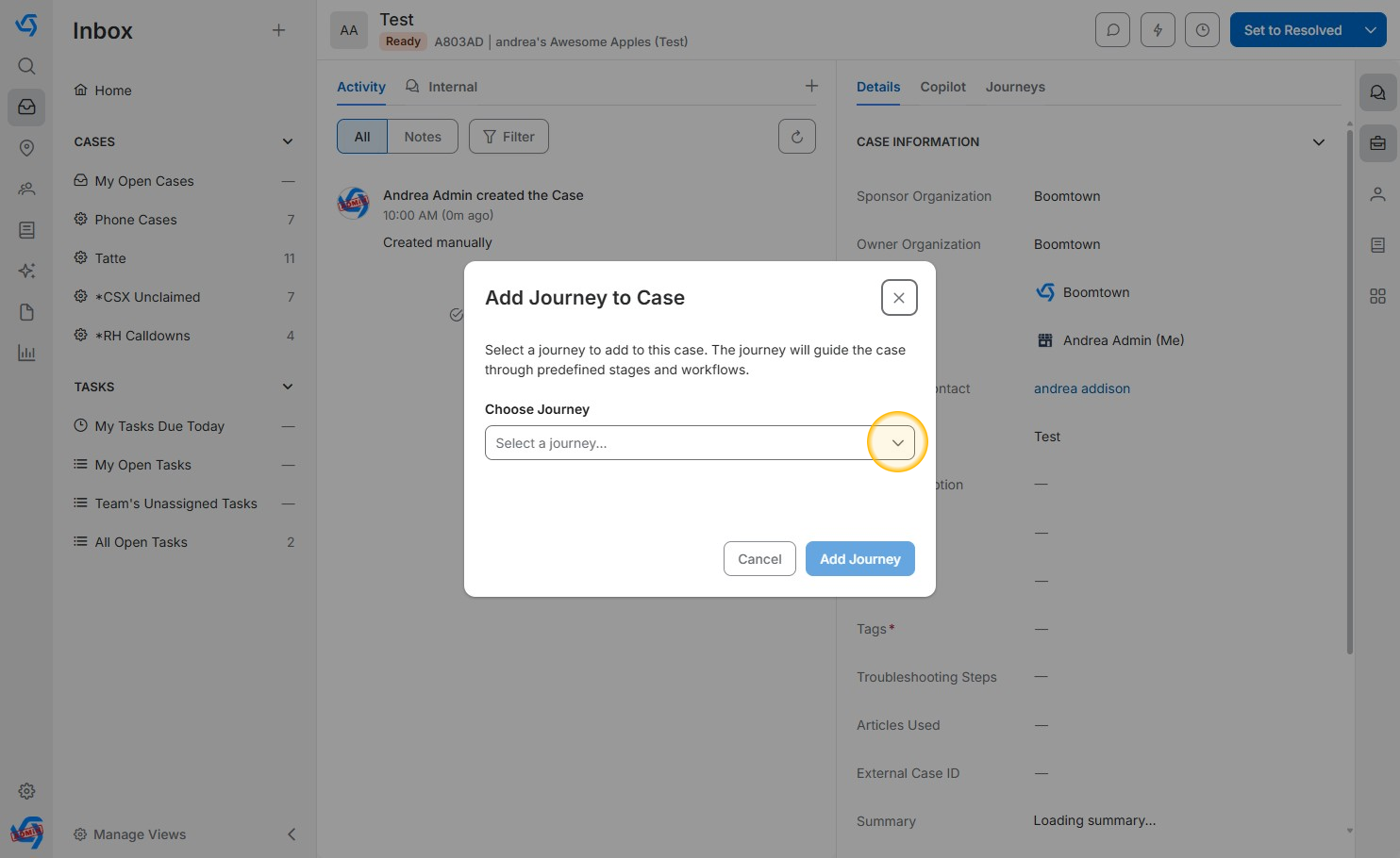
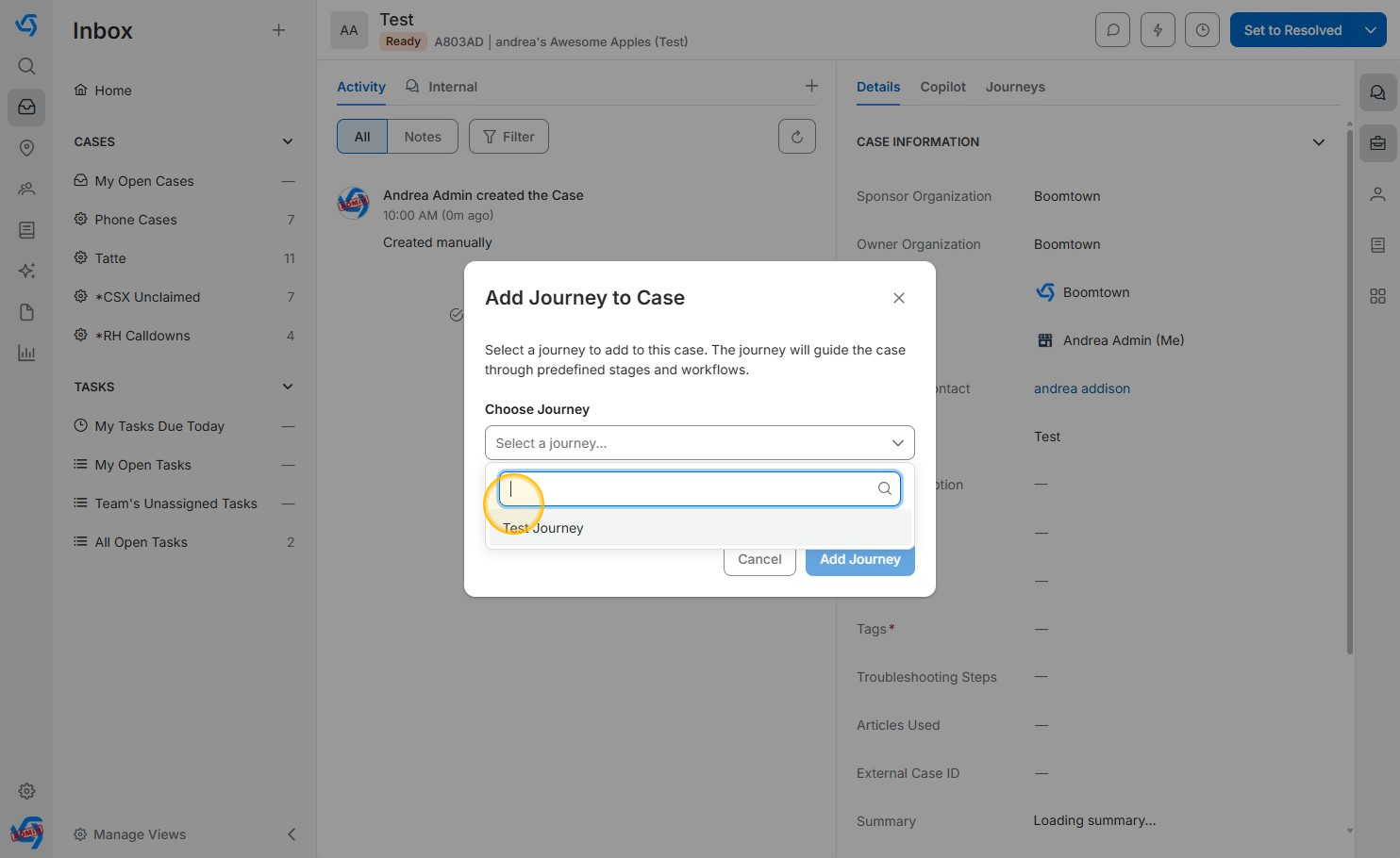
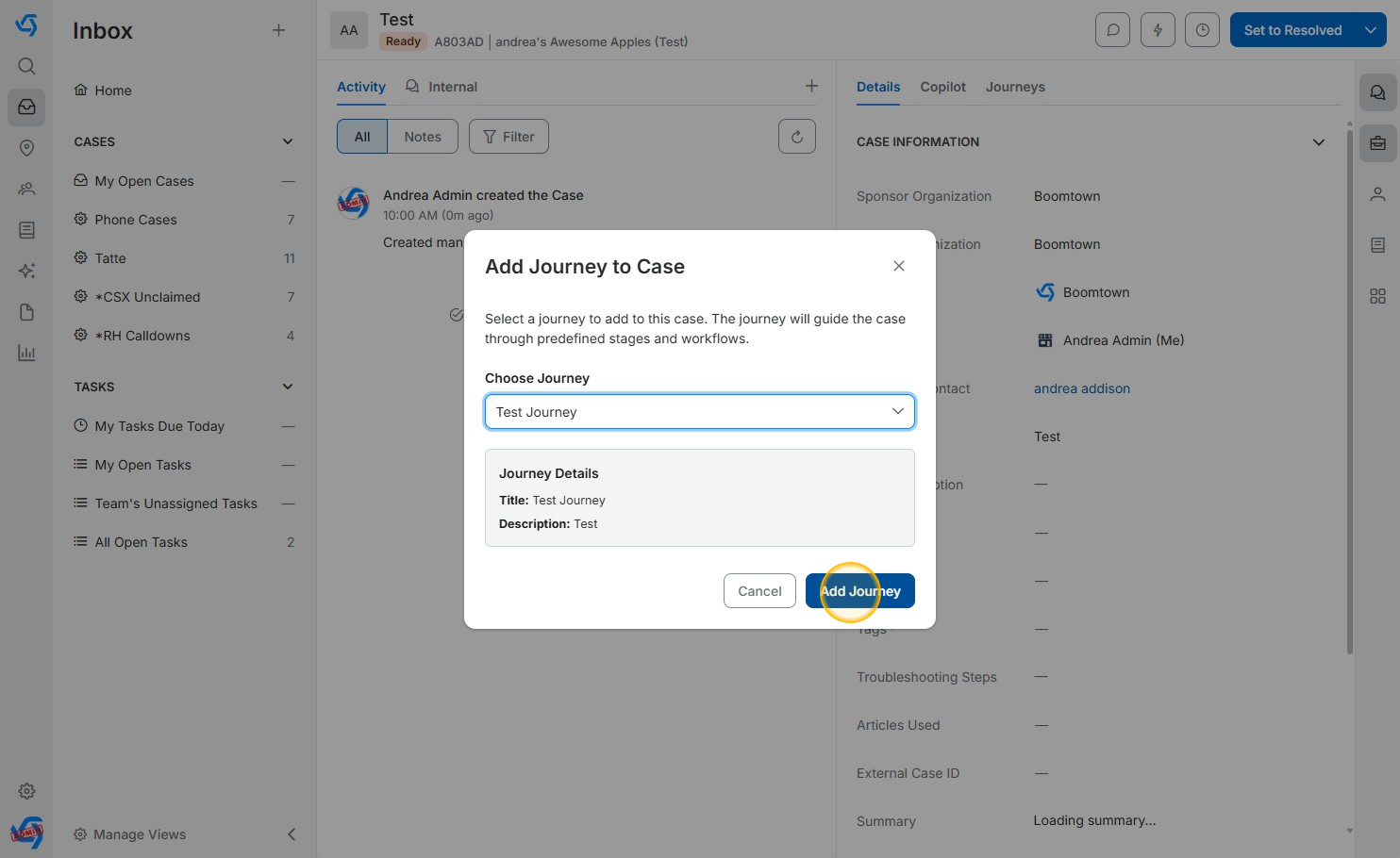
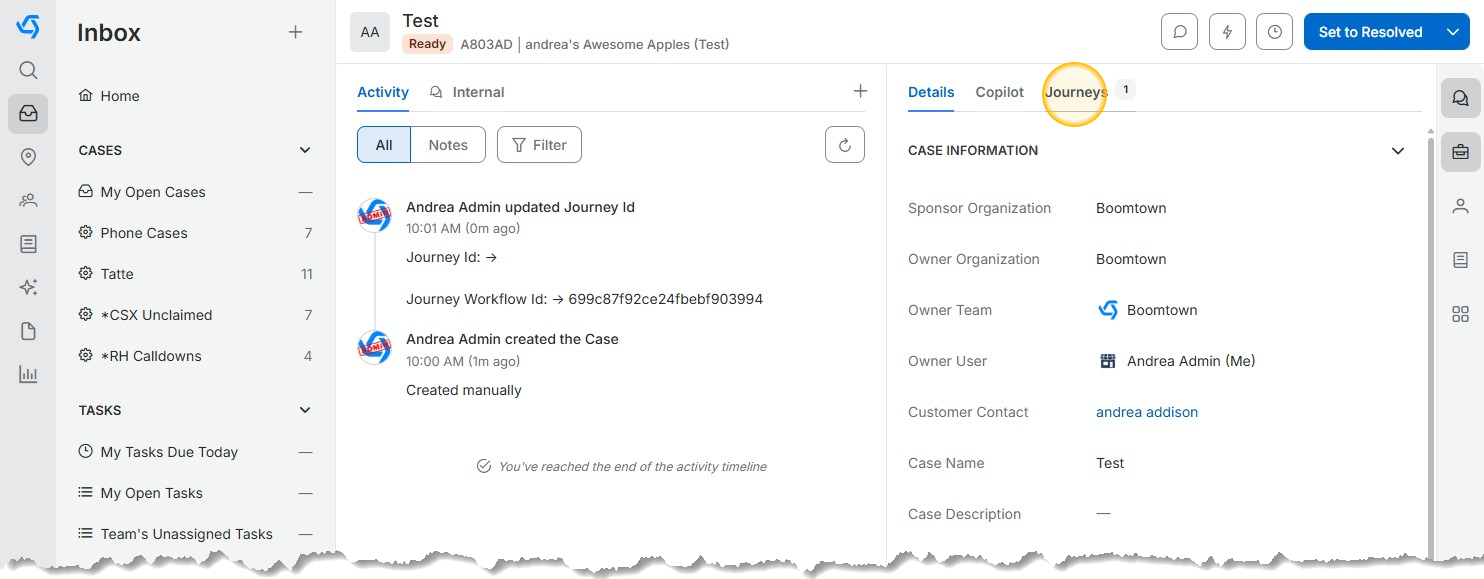
Add a Journey to a Case - App V5 Last Updated: March 3, 2026 What's in this article? Navigate to the case on which you wish to add a JourneyClick the "Action" buttonClick "Add Journey"Click the "Choose Journey" drop-downSearch for and then click the Journey you want to add to the caseClick "Add Journey"Click "Journeys" to view the Journey you have added to the case