
What Type of Actions can I put in a Journey - App V5
Last Updated:What's in this article?
Task Actions
Used for manual assignments that require human intervention.
- When to Use: Manual reviews, human decisions, or personal customer outreach.
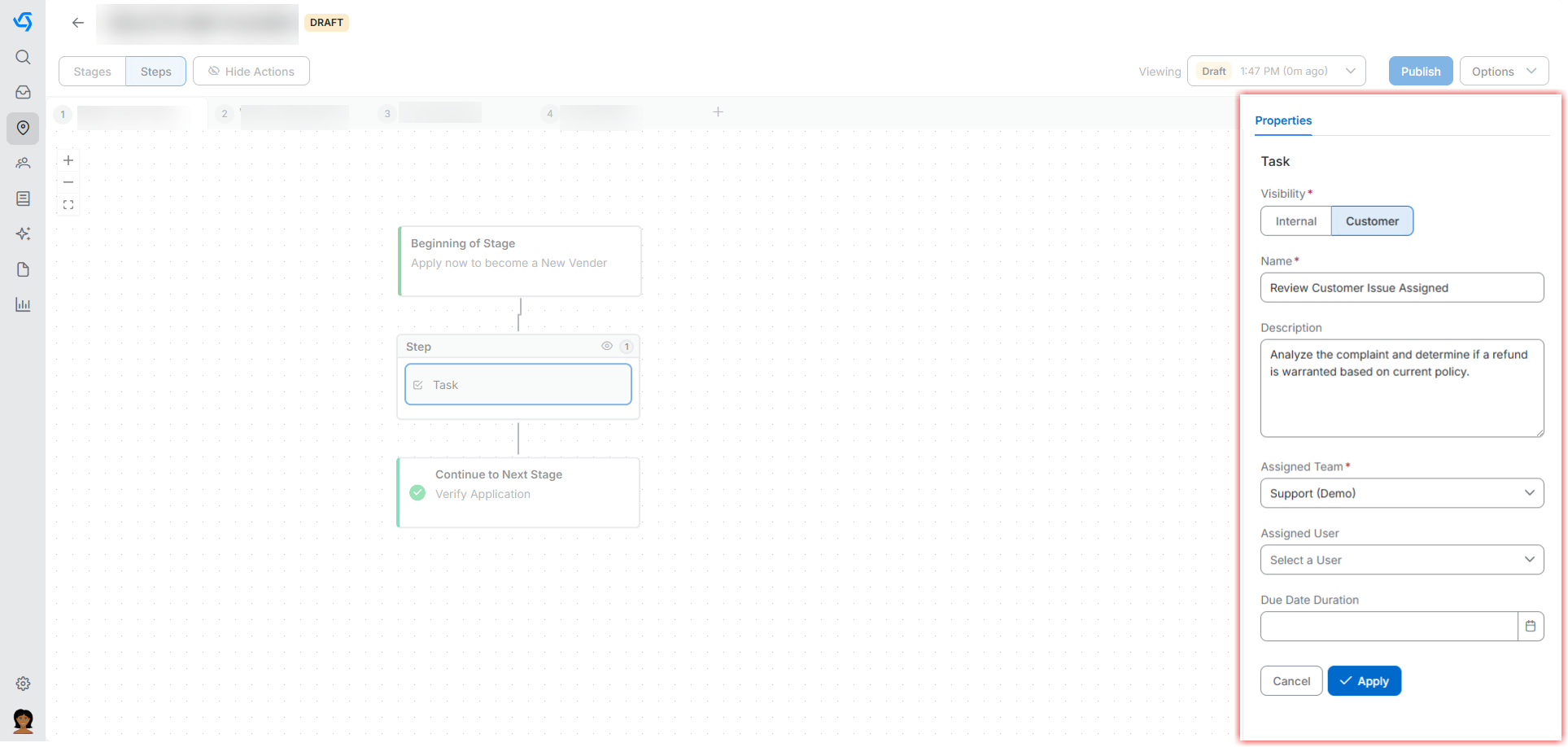
- Configuration: Name, Description, Assigned Team, Due Date, and Visibility
Visual Example... - Task Name: Review Customer Issue
- Assigned Team: Support (Demo)
- Description: Analyze the complaint and determine if a refund is warranted based on current policy
- Visibility: Visible to Customer
Automation Actions
Executes pre-configured system processes without human oversight.
- When to Use: Repetitive system updates, external integrations, or complex logic.
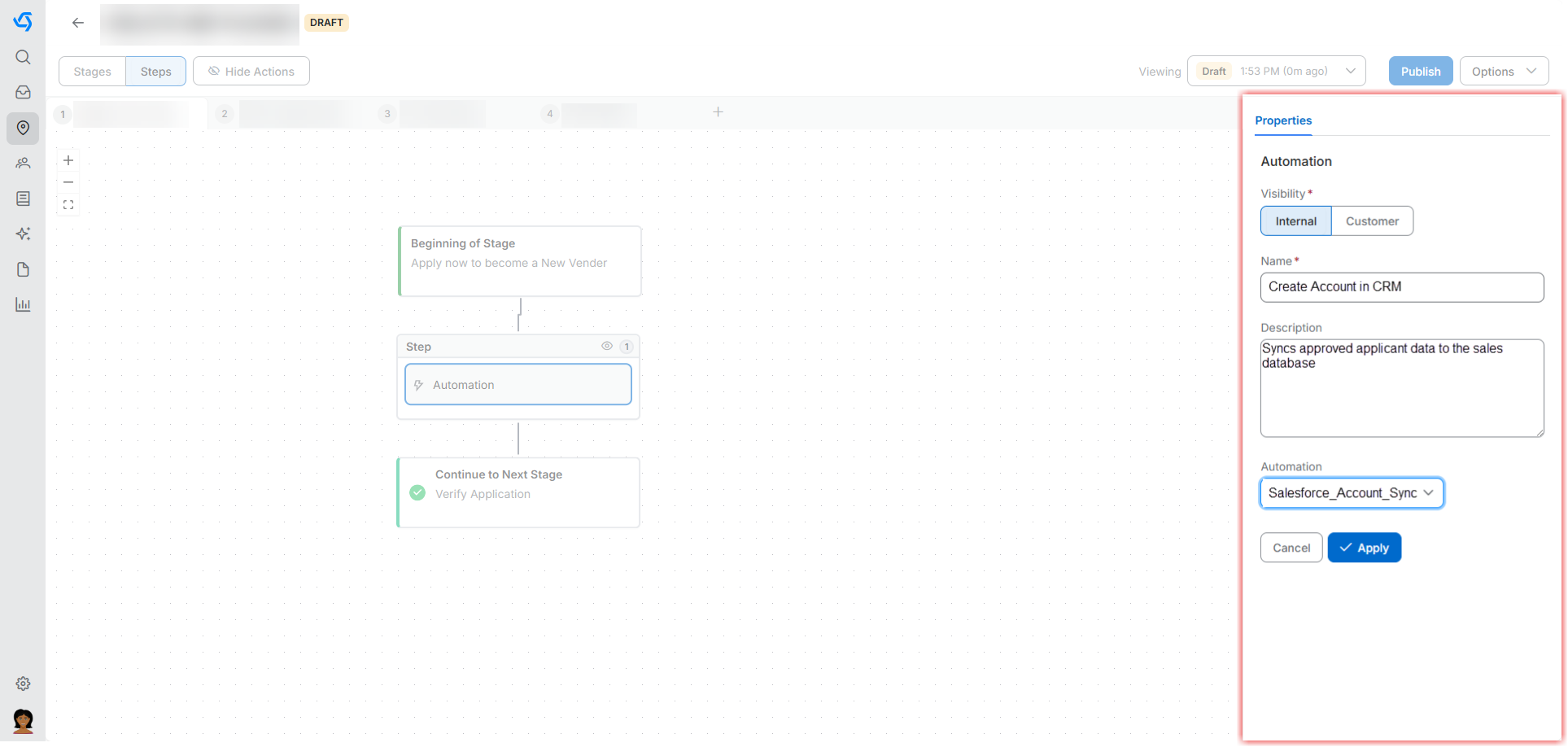
- Configuration:Name, Automation (Selection from dropdown), Description, and Visibility
Visual Example... - Automation Name: Create Account in CRM
- Selection: Salesforce_Account_Sync
- Description: Syncs approved applicant data to the sales database
- Visibility: Internal Only
Selection Actions
Presents choices to customers or internal teams to determine the next path.
- When to Use: Gathering preferences or making approval decisions.
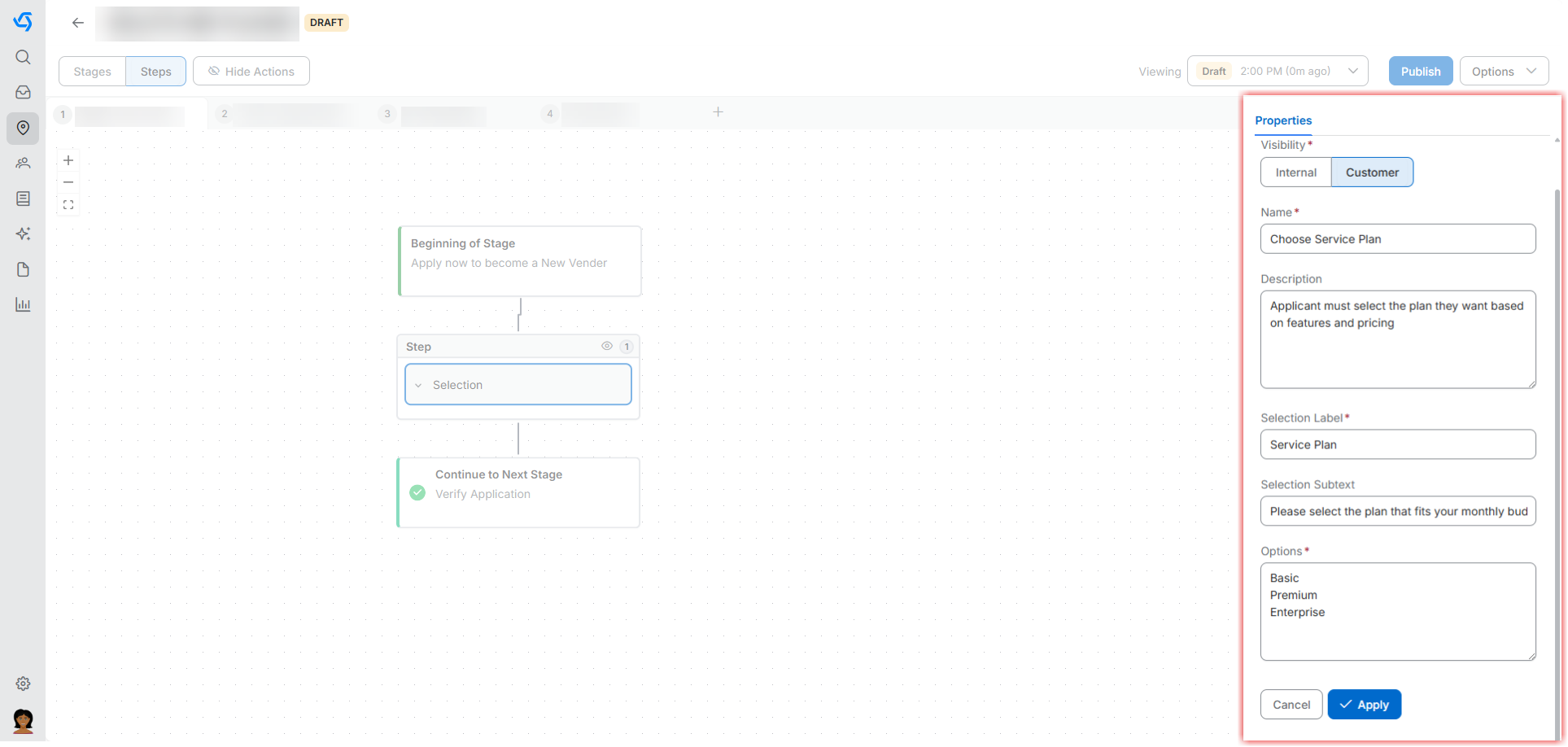
- Configuration: Name, Options (Choices), Instructions, and Required (Toggle)
Visual Example... - Selection Name: Choose Service Plan
- Options: Basic, Premium, Enterprise
- Required: Yes
- Instructions: Please select the plan that fits your monthly budget
API Actions
API Actions 🔗: Essential for technical integration, connecting your journey to external services via endpoints and parameters